Audio vs Video vs Wi-Fi Baby Monitors: Which Type to Buy
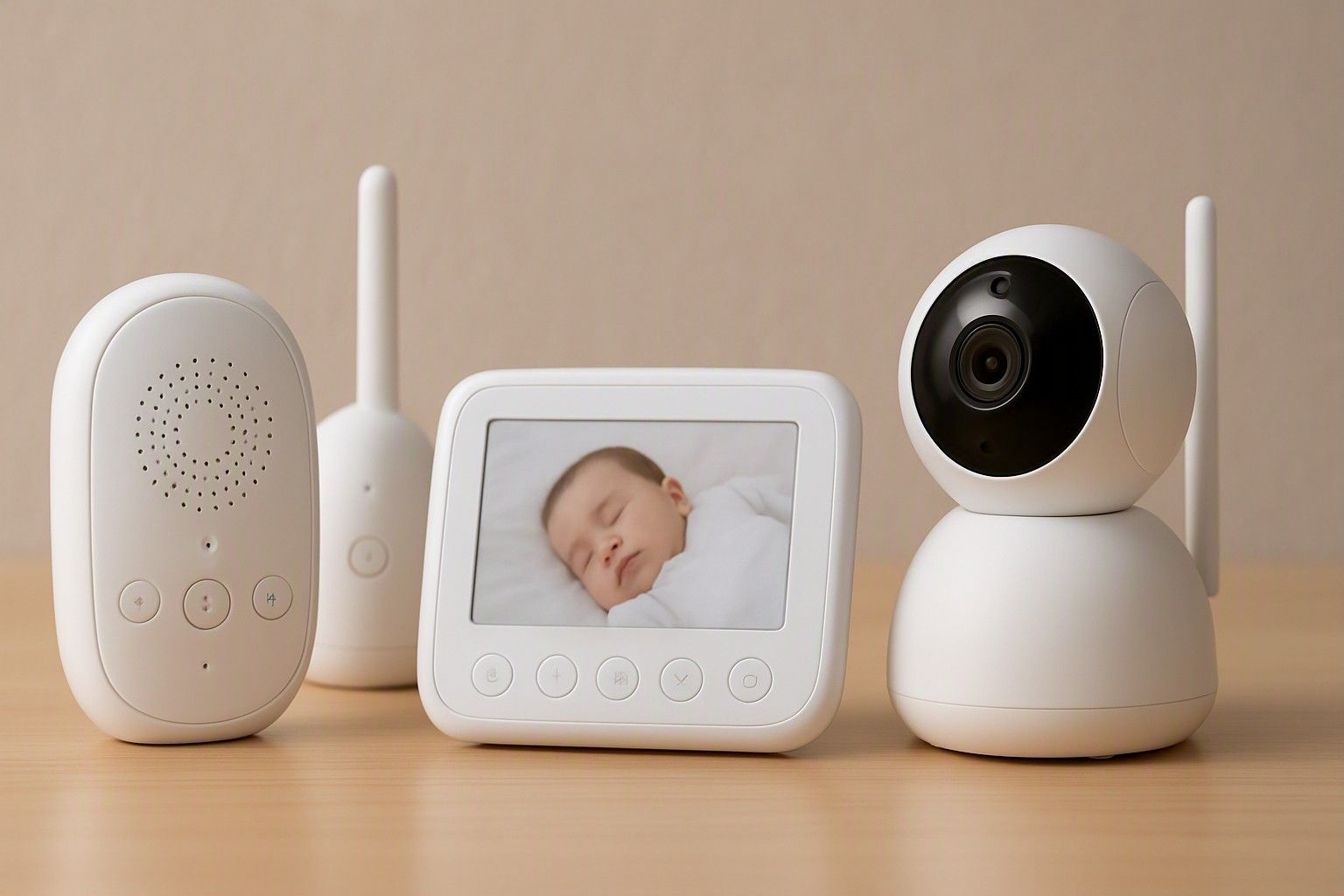
If you're stuck deciding between an audio-only monitor, a video monitor with its own screen, or a Wi-Fi app-based camera, the real answer depends less on features and more on how your home and habits already work. Each type solves a different problem, and picking the wrong one means either overpaying for capability you won't use or straining to hear a cry over a hallway wall. This guide walks through what each type actually suits, so you can settle the question before you look at a single product listing.
Audio-Only Monitors: Who They Suit
An audio-only monitor is the simplest device in this category: a parent unit that picks up sound from the nursery and relays it to a receiver you carry around. There's no screen, no camera, and usually no app — just a speaker, a volume control, and sometimes a night light or a low-battery indicator. This simplicity is the whole appeal. Fewer parts mean fewer things to configure, charge, or troubleshoot at 2 a.m., which matters a lot to parents who just want a reliable alert when the baby stirs.
These monitors suit small to mid-sized Indian homes where the nursery and the parents' usual spots — living room, kitchen, another bedroom — are close enough that sound carries reasonably well through a wall or two. They also suit parents who are uncomfortable with the idea of a camera recording the baby, or who simply don't feel they need visual confirmation every time the baby makes a sound. Grandparents and joint families who want a monitor without a learning curve also tend to gravitate here.
Where audio-only falls short is precisely where a video monitor helps: it can't tell you if the baby is actually awake, tangled in a blanket, or has just made a passing noise in their sleep. It also sits at the lower end of what monitors cost in this category, which is worth knowing before you assume you need to spend more.
Dedicated Video Monitors with a Parent Unit
A dedicated video monitor pairs a nursery camera with its own handheld parent unit — a small screen that shows a live feed over a closed, monitor-specific radio signal rather than your home network. You get to see the baby without walking to the room, which cuts down on false alarms from a monitor picking up every rustle and settling sound. Many of these units also carry audio two-way talk, temperature readings, and zoom or pan controls on the camera side.
This is the type to choose if you want visual reassurance but are wary of putting a baby camera on the internet. Because the feed runs on a dedicated frequency rather than Wi-Fi, it isn't exposed to the kind of remote access risks that come with app-based cameras, and it keeps working even if your broadband connection is unstable that day. For Indian households where internet service can be inconsistent depending on the building or the ISP, this closed-circuit approach is a genuine practical advantage, not just a privacy preference.
The trade-off is range and flexibility. The parent unit only works within the manufacturer's stated distance from the camera — usually enough for a single-floor home but tighter across multiple floors or thick concrete walls common in Indian apartments. You also can't check in from outside the house, which matters if a parent works from an office or steps out while someone else is home with the baby. Dedicated video monitors sit mid-range in price for this category, reflecting the added camera and display hardware over an audio-only unit.
Wi-Fi and App-Based Smart Monitors
Wi-Fi baby monitors send the camera feed over your home internet to an app on your phone, which means you can check on the baby from another city, not just another room. This is the type most parents reach for when someone in the house travels for work, when grandparents want to peek in remotely, or when the household simply prefers managing everything from a phone rather than carrying a separate parent unit. Many also add features like motion alerts, cry detection, night vision, and cloud storage of clips — capabilities that go well beyond what audio-only or dedicated video monitors typically offer.
The catch is that connecting a camera to the internet introduces a different category of concern than range or battery life: the feed now depends on your account security, the app's own infrastructure, and how well the manufacturer handles data. Before choosing this type, it's worth reading through the privacy risks that come with internet-connected monitors, because the setup steps you take at purchase — strong passwords, two-factor login, firmware updates — matter as much as the hardware spec sheet.
Wi-Fi monitors span a wide price range in this category, from budget app-based cameras to higher-end models with multiple camera support and advanced detection features, so cost alone won't tell you if a given model is right for you — the feature list and your comfort with cloud storage will. If remote access isn't something you'll actually use day to day, this type can end up being more monitor than your household needs.
Dependence on Home Wi-Fi and Power Cuts
This is the practical failure point that often gets skipped in feature comparisons: a Wi-Fi monitor is only as reliable as your router and your power supply. If your broadband drops or the router restarts, the app feed can lag, freeze, or stop updating entirely — right when you might be relying on it most. In areas with frequent power interruptions, both the camera unit and the router need to come back online and reconnect before the feed resumes, which can take a couple of minutes longer than you'd want.
Dedicated video and audio-only monitors don't have this dependency in the same way, since they run on their own radio signal between camera and parent unit rather than your home network. A power cut still knocks out the camera or receiver itself, but there's no router, no app server, and no internet handshake standing between the two ends reconnecting — they typically resync the moment power returns.
If you live somewhere with dependable power and a stable broadband or fibre connection, this dependency is mostly theoretical. But if your area sees regular outages, or your Wi-Fi router is shared across a busy household with many connected devices, it's worth weighing this before committing to an app-based monitor purely for its remote-access features. A backup plan — like keeping the parent unit or app on a phone with mobile data as fallback — is worth setting up regardless of which type you choose.
Which Type Fits Your Home and Budget
Matching monitor type to your actual home layout and budget is more useful than chasing the longest feature list. In this category, prices run from ₹1,800 to ₹16,000, averaging around ₹7,500, and the three types roughly map onto the budget tiers rather than being scattered randomly across them. Audio-only monitors cluster toward the ₹3,000 range, dedicated video monitors with a parent unit tend to sit in the ₹8,000 range, and Wi-Fi models with richer app features and multi-camera support often move into the ₹18,000 range.
A single-floor flat with the nursery near the living areas rarely needs anything beyond audio-only or a basic dedicated video monitor — spending more just adds features that go unused. A larger home, a duplex, or a household where someone needs to check in from another floor benefits more from dedicated video's live feed, while a household with a parent who travels or a genuine need for remote access gets real value from a Wi-Fi model, provided the privacy setup is handled properly.
Rather than picking a price point and working backward, it helps to match the type to what each budget tier offers so you know what you're actually paying for at each level — camera quality, range, app features, or simply peace of mind from a screen. Since prices across this category have held in this band for a while, there's no pricing reason to wait; the right type for your home is available at every budget tier today.
The choice between audio, dedicated video, and Wi-Fi comes down to how your home is laid out, how much you trust an internet connection to stay up, and whether remote access is something you'll genuinely use — not which monitor has the most features on the box. Once you've placed yourself against those three questions, the right type for your household should already be clear.

Comments
Be the first to comment.