Smart Scale App and Phone Compatibility: What to Check Before Buying
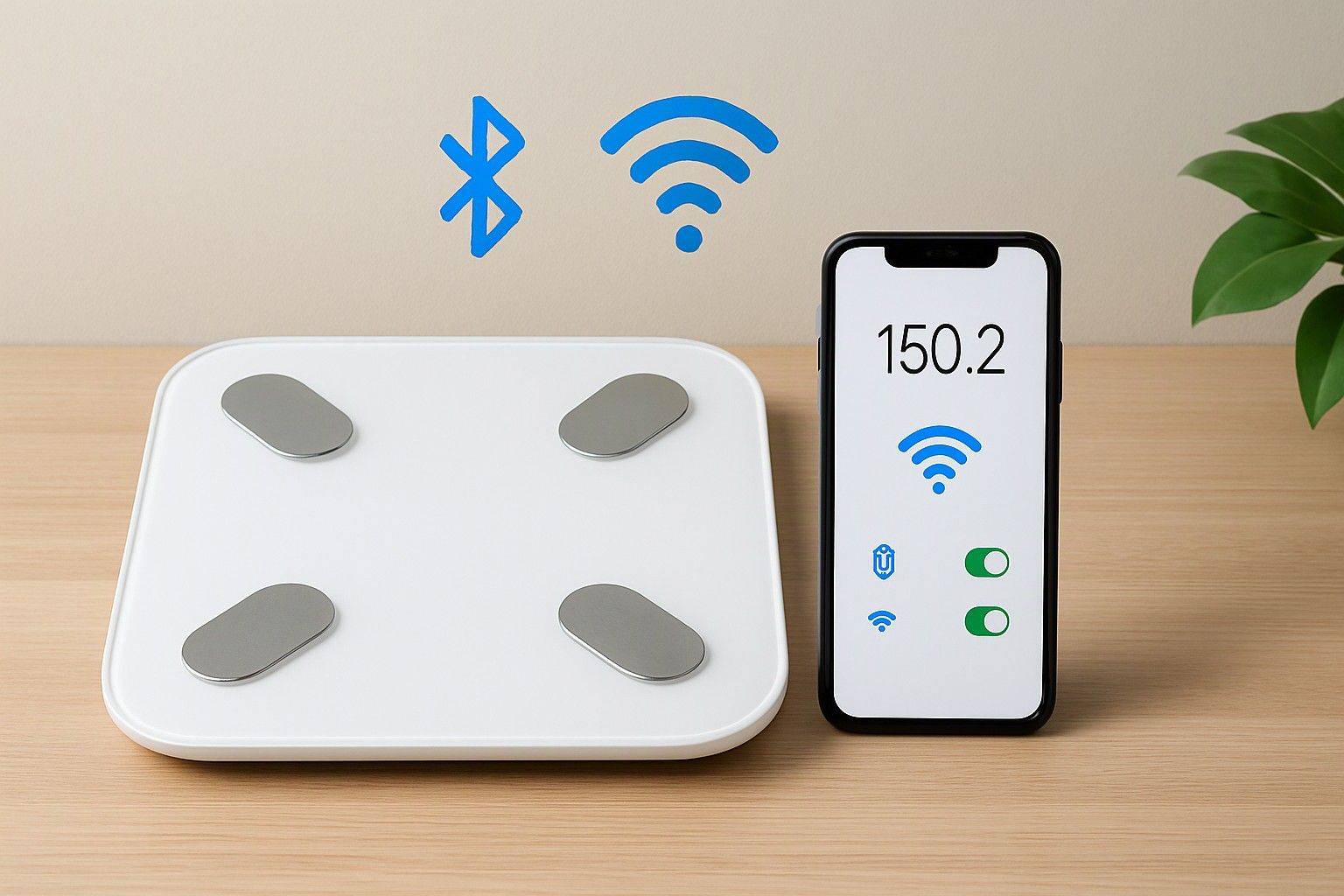
If you are wondering whether a smart scale's app will work with your phone and the health apps you already use, this article is for you. The scale hardware is the easy part to judge. The app, the connection type and the sync options decide whether you will still be stepping on it six months from now. Run through the checks below before you pay, whatever your phone or budget.
Bluetooth vs Wi-Fi Scales: Which Connection Suits You
Most popular smart scales sold in India connect over Bluetooth, and for a single-phone household that is usually the simpler choice. You step on, the scale holds the reading, and the app pulls it in when your phone is nearby with Bluetooth on. The catch is that the reading often reaches the app only when you open it, so a weigh-in with the phone in another room can wait or be lost on some models.
Wi-Fi scales send readings to the cloud on their own, so the data is there whether or not your phone is close. That helps in a shared home, because family members can weigh in without anyone's phone nearby. The trade-off is setup. Many Wi-Fi scales only join 2.4 GHz networks, and a dual-band router that merges both bands under one name can make pairing frustrating. Moving house or changing your router means redoing the setup.
Some scales offer both. Before buying, check the listing for the exact connection type, and ask yourself one question: will the phone usually be with you when you weigh in? If yes, Bluetooth is fine. If several people share the scale, or you want zero-effort syncing, Wi-Fi earns its extra setup effort.
Android and iOS App Quality and Regional Support
A scale listing that says "works with Android and iOS" tells you very little. What matters is the minimum OS version the app asks for, and how well it behaves on your actual phone. An older phone stuck on an earlier Android version may not be able to install the app at all, and a newer phone may hit permission problems, especially with Bluetooth and location access, which many Android versions require for pairing.
Before you buy, open the app's store page. Check the last update date, the required OS version, and the recent reviews rather than the overall star rating. Look for repeated complaints about pairing failures, readings not saving, or crashes after an OS update. If the page is not easily findable by name, treat that as a warning sign.
Regional support is the other half. Check that the app uses kilograms by default, lets you set height in centimetres, and works properly with an Indian phone number or email if it needs one. Some apps offer only a handful of languages and gear their body-composition feedback to other populations, so the "healthy range" labels may not suit an Indian body type. You can usually still read the raw numbers, which is what matters for tracking trends.
Syncing With Google Fit, Apple Health and Fitness Apps
If you already track steps, workouts or food in another app, syncing is where a scale either fits into your routine or sits apart from it. Apple Health integration is generally straightforward on iPhone: the scale's app asks for permission and writes weight, and sometimes body fat and BMI, into Apple Health. Check which metrics actually get shared. Some apps send only weight and keep body composition inside their own app.
On Android, the picture is less settled. Google Fit has been the usual link, but Android's health data sharing has been shifting toward Health Connect, so look at which one the scale's app actually lists as supported, and confirm it works with your phone's current setup. Do not assume that a mention of one covers the other.
Then think about the direction of sync. Most apps only push data out, but a few can also read your data from other apps. If you use a third-party fitness or diet tracker, find out whether it takes weight from Google Fit or Apple Health, since that is usually the bridge. A scale that syncs weight alone is still useful. A scale that syncs nothing leaves you copying numbers by hand, which most people stop doing within weeks.
Do You Need an Account, and Where Is Your Data Stored
Nearly every smart scale app asks you to create an account, usually with an email or phone number. Some let you start in a guest or local mode, but body composition history and multi-device access typically need a login. Check this before purchase, because an app that forces sign-up with a number you would rather not share is a real consideration.
Then look at the privacy policy, which most buyers skip. You are handing over weight, body fat and trend data, which is health-related information. Find out whether the data is stored on the company's servers, where those servers are, whether it is shared with third parties for advertising, and whether you can export or delete your history. Policies written vaguely, or missing from the app entirely, are a reason to hesitate.
An account has an upside. If you change phones, your history comes with you after you log in, whereas local-only storage can vanish with the old handset. Before you buy, ask yourself which matters more: the convenience of cloud backup or keeping your data on your own phone. Then check that the scale's app gives you the one you want, along with a way to export your readings in a file so you are never locked in.
Ongoing App Support and the Risk of Abandoned Apps
A smart scale is a hardware purchase that depends on software someone has to keep maintaining. Phone operating systems change every year, and an app that is not updated can quietly stop pairing after an OS upgrade. The scale still weighs you, but without the app it is little more than a basic scale, whatever you paid between ₹500 and ₹10,000.
You can judge the risk before you buy. On the app's store page, look at the last update date. A few months old is reassuring, while a page untouched for a long time is not. Read the developer's replies to reviews: active replies suggest someone is still there. Check whether the app has been around for several years and whether the same app serves a range of the company's products, which usually means it is more likely to be kept going.
Also check what happens if support ends. A scale that still shows your weight on its own display, or that can send readings to Google Fit or Apple Health, remains useful even if the app is later left behind. That fallback is worth paying a little extra for, and it is a more sensible way to decide with the current price in front of you than hoping the app will manage.
Multiple Profiles and Family Sync in the App
Profiles decide whether one scale can serve a household, and this matters a lot if several people at home will share the scale. Look at how many profiles the app supports, because the limit varies widely. Eight is common, but some apps allow far fewer. Also check how the scale tells people apart. Many assign a reading by matching it to the closest previous weight, which goes wrong when two family members weigh about the same or when a child's weight changes quickly.
Then check how each person sees their data. Some apps give every profile its own login and history, which keeps results private. Others keep everything under one account, so everyone's numbers appear on one phone. Neither is wrong, but the difference matters if privacy among family members is a concern.
Finally, ask whether each person needs the app on their own phone. With Bluetooth scales, readings usually land on whichever phone is connected, so you may need to assign them manually. Wi-Fi scales handle this better, since the cloud account sorts readings by profile. If you are buying for a family, pick the connection type and profile model together, not separately.
So, will this scale's app work with your phone and the health apps you already use? You can now answer that yourself: confirm your phone meets the OS requirement, pick Bluetooth or Wi-Fi to match how you actually weigh in, check that Google Fit or Apple Health appears in the sync list, read the data policy, and look at when the app was last updated. If a scale passes those checks, you can buy it with confidence at the price you see today.

Comments
Be the first to comment.