Bluetooth Version, TWS Pairing, USB and FM: Which Speaker Inputs Do You Actually Need?
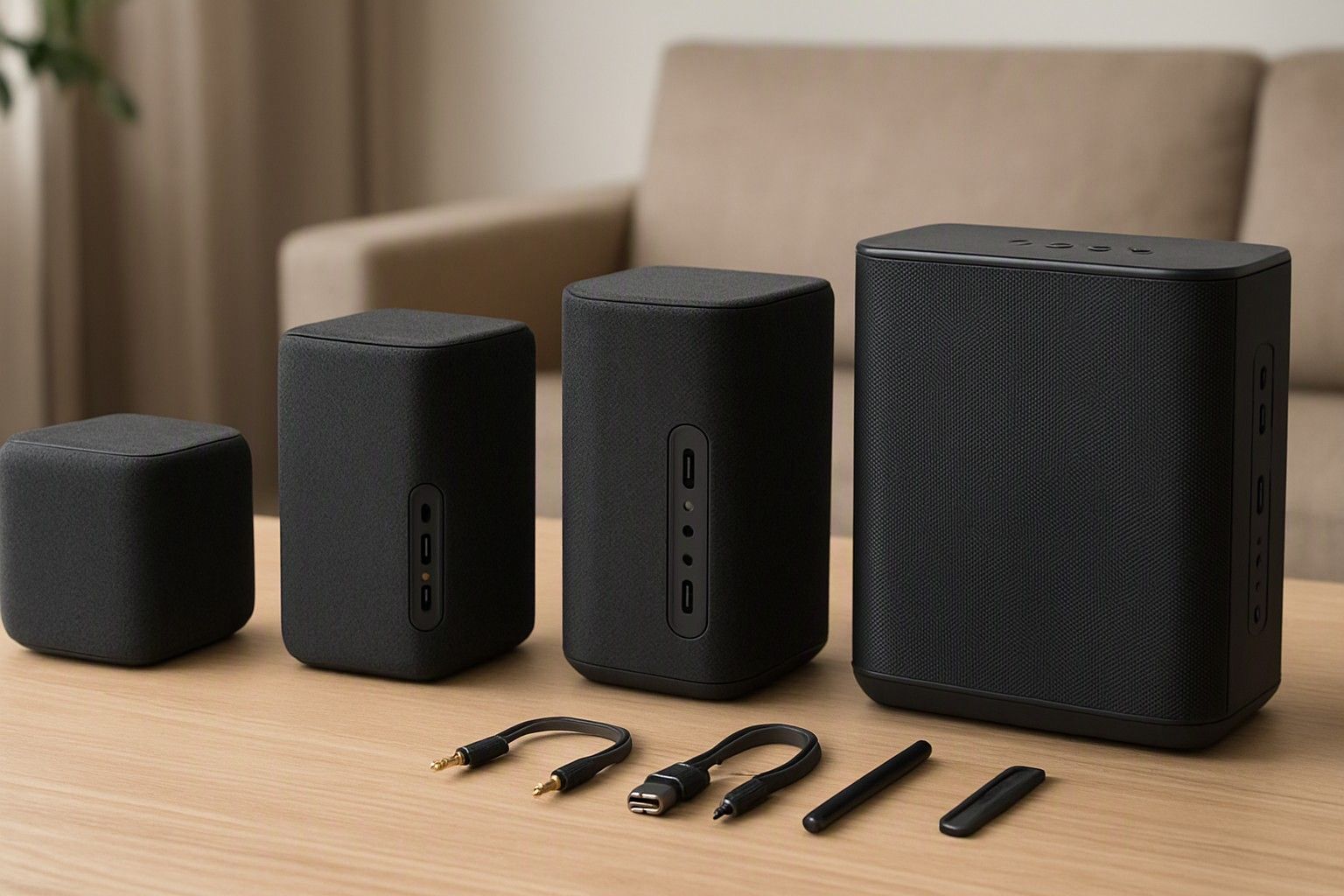
If you are choosing a Bluetooth speaker and wondering which version, pairing features and ports are worth having, this page is for you. In India, a speaker is often more than a phone companion. It may play a pen drive of bhajans, tune into FM, take a wired mic or sit behind a TV. Below, each connectivity feature is matched to a real way of listening, so you can pay for the inputs you will use and skip the ones you won't.
Bluetooth 5.0 vs 5.3 and Range Through Concrete Walls
The version number tells you less than the box suggests. Bluetooth 5.0 brought a clear gain in range and stability over older versions. Bluetooth 5.3 refines that with more efficient power use, steadier connections and quicker reconnection after a drop. For one phone streaming music to one speaker in the same room, you will struggle to hear the difference.
Range is where Indian homes expose the gap between claim and reality. The quoted distance is usually measured in open space with a clear line of sight. Reinforced concrete walls, brick partitions and a kitchen full of metal utensils cut that sharply. A speaker on the living-room shelf and a phone left in the bedroom is a common recipe for stuttering audio, whatever the version.
A practical rule: a speaker with 5.0 or newer is fine if the phone stays in the same room or one wall away. Version 5.3 is worth preferring if your home has crowded Wi-Fi, if you walk between rooms with the phone, or if you want the speaker to reconnect without fuss. Antenna design and build quality matter as much as the version, so don't treat the number as a guarantee.
Codecs Explained: SBC, AAC and LDAC
A codec is the method your phone uses to compress audio before sending it over Bluetooth. Both the phone and the speaker must support the same codec, or they fall back to the common one.
SBC is the universal baseline. Every Bluetooth speaker supports it, and most speakers in the ₹1,500 bracket stop there. Well implemented, it sounds perfectly good for casual listening.
AAC is efficient and works especially well with iPhones. Many Android phones can use it too, though results vary by phone. It is a modest, practical upgrade if your source is an Apple device.
LDAC carries far more data than SBC and can sound noticeably more detailed. It only helps if your Android phone supports it, you select it in the Bluetooth settings, and the speaker has drivers good enough to reveal the difference. Speakers that list it are more likely to sit in the ₹10,000 range than lower down.
In practice, the streaming quality setting in your music app and the speaker's own tuning limit the sound more than the codec does. Treat AAC or LDAC as a bonus for a speaker you already like, not a reason to choose one over another.
TWS and Party Pairing of Two or More Speakers
TWS, or true wireless stereo, lets two identical speakers pair with each other so one plays the left channel and the other the right. You get a wider soundstage than a single speaker can offer, which suits a living room or a terrace. Party pairing is the related feature that links two or more speakers to play the same audio at once, so the sound fills a larger space.
The catch is compatibility. These features generally work between the same model or the same maker's range, not across brands. Check that the listing explicitly names TWS or multi-speaker linking, and whether it needs a button press or an app. Each speaker also needs its own charge, and slight sync delay is possible.
Cost is the other question. A matched pair costs twice one unit, so compare it against a single larger speaker at the same combined spend. A pair gives better stereo separation and flexibility, since you can use them separately in two rooms. One larger speaker is simpler, often has more bass, and is easier to carry and charge. Choose a pair only if you will actually use the stereo or two-room option.
AUX, USB Pen Drive, SD Card and FM Radio
These are the inputs that make a speaker work without Bluetooth, and many households still depend on them.
AUX (3.5 mm): A wired connection that needs no pairing and no battery on the source side. It suits laptops, older phones, TVs with a headphone output and anything Bluetooth-less. Newer phones without a headphone jack need an adapter.
USB pen drive: Plays music files straight from a drive, which is ideal for a stored bhajan or old-film-song collection that family members can use without a smartphone. Check which file formats and drive sizes are supported, since many speakers handle MP3 reliably but not every format. Also confirm the USB port is for playback. Some ports only charge a phone.
SD card: A microSD slot gives a compact, drive-free alternative. Look for the maximum card capacity in the specifications.
FM radio: Useful for news, cricket commentary and old-time stations. Reception depends on an antenna, often the AUX cable or a telescopic one, and inside a concrete home it can be patchy. Test it in the room where the speaker will live.
If you are replacing an older music system, prioritise USB, SD and FM. If only your phone will connect, Bluetooth alone is enough.
Mic and Guitar Inputs
A mic input turns a speaker into a small PA or karaoke unit. The common format is a 6.35 mm jack, though some speakers use a 3.5 mm socket. Larger party-style speakers are more likely to have it, and the options tend to grow as you move through the ₹4,000 and ₹10,000 tiers. If you plan karaoke and bhajan sessions at home, look for a separate mic volume control and an echo or reverb knob. Without those, your voice either drowns under the track or overpowers it.
Some speakers ship with a wired mic, others with a wireless one, and some have only the socket. Check the box contents, because a speaker with a mic port and no mic means an extra purchase.
Guitar inputs deserve a warning. Many speakers label a single port as mic or guitar, but a guitar needs a clean, instrument-level signal and its own gain control to sound right. If you actually play, look for a dedicated instrument input with independent volume. If you only sing along to a track, a mic input is all you need, and a guitar port is not worth paying extra for.
Companion Apps and Custom EQ
Some speakers pair with a smartphone app that unlocks settings the buttons can't reach: equaliser presets, adjustable bands, firmware updates, TWS linking, light effects and mic echo control. Of these, equaliser control is the one that changes how the speaker sounds day to day.
A custom EQ helps correct a speaker's character to suit your room. A small, boxy room can make bass boomy, so trimming the low end gives clearer vocals. A large hall may need more low end and treble to carry. For speeches and devotional singing, lifting the mid-range makes words easier to follow.
Apps have their downsides. Quality varies widely, and some ask for permissions they don't need. An app that is no longer updated can leave features stranded. So make sure the speaker works properly without the app, with basic controls and a decent default sound. Before buying, check that the app exists for both Android and iOS and read recent user reviews. Treat the app as a useful extra, not the reason to pick a speaker.
Connecting a Speaker to Your TV
There are three realistic ways to connect a speaker to a TV. The simplest is a 3.5 mm AUX cable from the TV's headphone or audio output. It is wired, so there is no lag, and it is the most reliable option.
The second is Bluetooth, if your TV can send audio to Bluetooth devices. Not every TV can, so check the settings menu or manual first. Wireless links add a small delay, which shows up as dialogue slightly behind the lip movements. Some people never notice it, but others find it irritating in films and news.
The third is a USB or similar connection, which is uncommon and generally not meant for TV audio.
A Bluetooth speaker also lacks the HDMI ARC or optical inputs that let a TV remote control the volume. You will often end up juggling two volume controls. If TV viewing is the main job rather than an occasional use, read about when a soundbar handles TV audio better. For an occasional movie night or a bedroom TV, an AUX cable to a decent speaker is a sensible, inexpensive fix.
Matching Inputs to How You Will Listen
Start from how the speaker will actually be used, then pick the inputs that follow.
- Phone streaming in one or two rooms: Bluetooth 5.0 or newer with SBC is enough. Choose 5.3 if you move around a lot or have crowded Wi-Fi.
- Family members who play stored music: USB and SD card matter most, along with FM if radio is part of the routine.
- Singing, bhajans or small gatherings: A mic input with its own volume and echo control. Check that a mic is included.
- Occasional TV or laptop use: AUX is the reliable choice.
- Larger spaces or stereo: TWS or party pairing, within the same model range.
- Fine-tuning the sound: A good companion app with EQ, as long as the speaker is fine without it.
Prices in this category run from ₹699 to ₹29,999, with an average of ₹4,499. Ports and pairing features are inexpensive to include, so you can reasonably expect the inputs you need at your budget instead of settling. For the wider picture, see the hub guide on comparing connectivity against the other buying factors, such as sound quality, battery life and build.
The question was which Bluetooth version and ports a speaker should have. For most buyers the answer is Bluetooth 5.0 or newer, plus the one or two wired inputs that match how your household listens. Add TWS, a mic input or a good app only if you will use them. Write down your listening habits, tick the inputs they require, and choose a speaker that covers them.
Comments
Be the first to comment.