Understanding CCTV Cameras How They Capture and Record Video
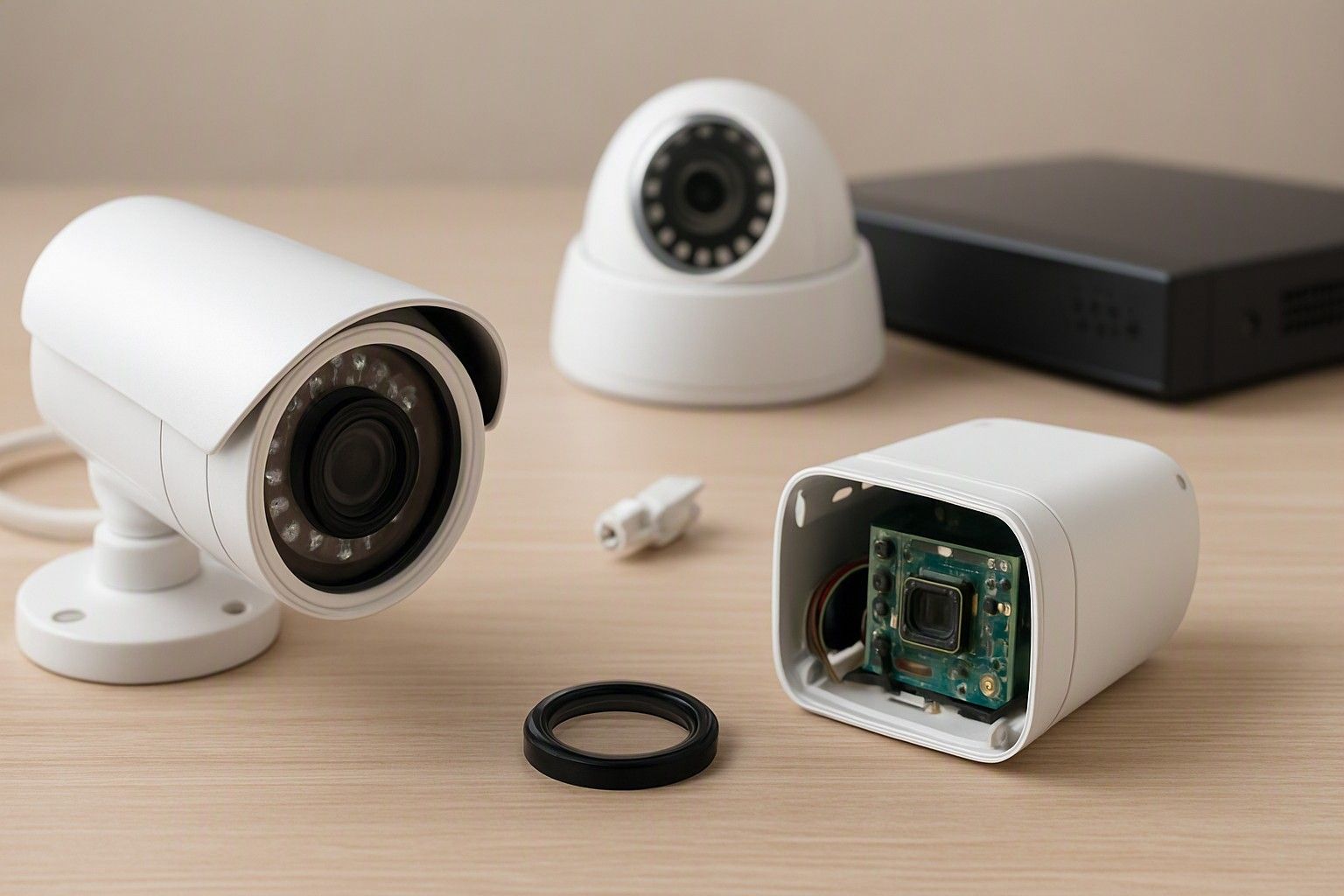
If you've been putting off buying a home camera because "CCTV" still sounds like drilled walls, a DVR box and a technician visit, that's outdated thinking. Most cameras sold in India today are small WiFi units that record to a memory card or the cloud and stream straight to your phone. This article walks through exactly how that works, so you can answer the real question — do you actually need one — with a clear head instead of a sales pitch.
What a Modern CCTV Camera Actually Does
A home CCTV camera today is a small computer with a lens attached. It has an image sensor that continuously converts light into a digital video signal, a chip that compresses that signal into a manageable file size, and a WiFi radio that pushes the stream out to your router. That's the whole loop — capture, compress, transmit — running every second the camera is powered on. Most models built for Indian homes also pack a passive infrared sensor to detect motion, a small speaker and microphone for two-way audio, and infrared LEDs that switch on automatically once light levels drop, letting the camera keep recording in black and white after dark.
What separates a genuinely useful camera from a gimmick is what happens with that video after it's captured. A camera that only streams live video while you're watching is little more than a webcam — the real value of CCTV is that it keeps recording even when nobody is looking, so there's a record to go back to. That means the sensor, the motion detection, and the recording pipeline all have to work together reliably, not just produce a clear picture in a demo. For a first-time buyer, understanding this is the difference between picking a camera that watches your home and one that merely looks like it does.
How Footage Is Recorded, Stored and Accessed on Your Phone
Once a camera captures video, it has to put that footage somewhere you can retrieve it later, and this is where most buyer confusion actually sits. The camera's own app on your phone talks to it over your home WiFi or, when you're away, through the cloud, letting you pull up a live feed or scrub through recorded clips from anywhere with internet access. Recording itself typically happens in one of two ways: continuously, where the camera writes video non-stop in a loop that overwrites old footage as storage fills up, or event-based, where it only starts recording when motion or sound crosses a set threshold — the latter saves storage and makes it far easier to find the moment you actually care about.
Where that footage lives matters just as much as how it's triggered, and this is a genuine fork in the buying decision rather than a minor spec. You can read the difference between local SD-card and cloud storage options to understand the trade-offs in full, but in short: a local card keeps footage on the camera itself with no recurring cost but no backup if the camera is stolen or damaged, while cloud storage keeps a copy off-site and usually comes with a subscription. Across the price band from ₹800 to ₹18,000, you'll find both approaches, and neither is automatically the better one — it depends on whether you're optimising for zero running cost or for footage that survives even if the camera itself doesn't.
IP Cameras vs Traditional DVR Systems
The CCTV setups many Indian buyers still picture — a set of cameras wired back to a DVR box sitting in a cupboard, connected to a monitor — are built on analog technology that predates today's WiFi cameras. In that system, each camera sends a raw video signal over a coaxial cable to a central recorder, which does the digitising, compression and storage in one place. It's a proven design and still makes sense for larger properties with many cameras, but it requires cable runs through walls, a dedicated recorder, and usually a professional installer.
An IP camera, in contrast, is a self-contained network device. It does its own digitising and compression on board and sends the finished video stream directly over WiFi to your phone or a cloud server, with no central box required. For a single home or a small shop with two or three cameras, this is almost always the simpler and cheaper route — you can be recording within minutes of opening the box, and there's no cabling cost to budget for. The trade-off is that IP cameras depend on a stable home WiFi network and your electricity supply, whereas a wired DVR system with a backup battery can keep recording through a router restart or brief outage. If you want the full breakdown of how a wired system compares to a plug-in WiFi camera, that comparison covers installation cost, reliability and long-term maintenance in detail. For most first-time buyers browsing the ₹1,200 to ₹3,500 range, though, an IP camera is the far more practical starting point.
Situations Where a CCTV Camera Genuinely Helps
A camera earns its place in a home when it answers a specific, recurring worry rather than sitting there as a vague deterrent. If you have domestic help, a nanny, or a cook coming in while you're at work, a camera pointed at the main living area gives you an honest record of the day rather than relying on secondhand accounts. If deliveries and courier drop-offs are a regular source of disputes — a package marked delivered that never arrived, or damage you suspect happened at the door — a camera covering your entrance settles that argument with footage instead of guesswork. Elderly parents living alone, or a period where the house is empty for festival travel, are two more situations where remote viewing genuinely reduces anxiety rather than just adding a gadget.
Where a camera helps less is as a blanket assumption that "more security is always better." A camera watching an already well-lit, low-traffic balcony that nobody worries about isn't doing much beyond using storage and battery. The honest way to decide is to name the specific risk first — a gate that's hard to see from inside, a driveway where two-wheelers have gone missing before, a door where you want proof of who rang the bell — and then place a camera against that risk. Buyers who do this end up with one or two well-placed cameras that actually get reviewed when something happens, rather than four cameras streaming footage nobody ever checks.
Deciding If a Camera Is Right for Your Home
By now the mechanics should be clear: a camera captures video, compresses it, and either records it locally or pushes it to the cloud, with WiFi units offering the easiest path to getting that working in an Indian home. Whether that's worth it for you comes down to a smaller, more personal set of questions — how many entry points you actually want covered, whether you need footage to survive if the camera is tampered with, how reliable your home WiFi and power supply are, and how much you're comfortable paying either upfront or as an ongoing cloud subscription. None of that is complicated once you've separated capture from storage from access, which is exactly what the earlier sections here set up.
With prices for home cameras spanning ₹800 to ₹18,000 and averaging around ₹3,000, there's enough range to match a camera to your actual need rather than overpaying for features you won't use or underbuying on the one feature — storage, night vision, or a proper motion sensor — that matters for your situation. If you want to work through those remaining decisions in order, from placement to storage type to budget tier, you can map out the full set of decisions a home camera buyer faces and use it as a checklist before you buy.
Once you know how a camera captures footage, where that footage actually goes, and which of the situations above match your own home, the original question answers itself — a camera is worth it when it's solving a specific worry you already have, not because CCTV sounds like a generically responsible thing to own. That's a decision you're now equipped to make on your own terms, at whatever budget tier fits.

Comments
Be the first to comment.