Recline, 4D Armrests, Footrests and Lumbar Pillows: Which Features Earn Their Cost?
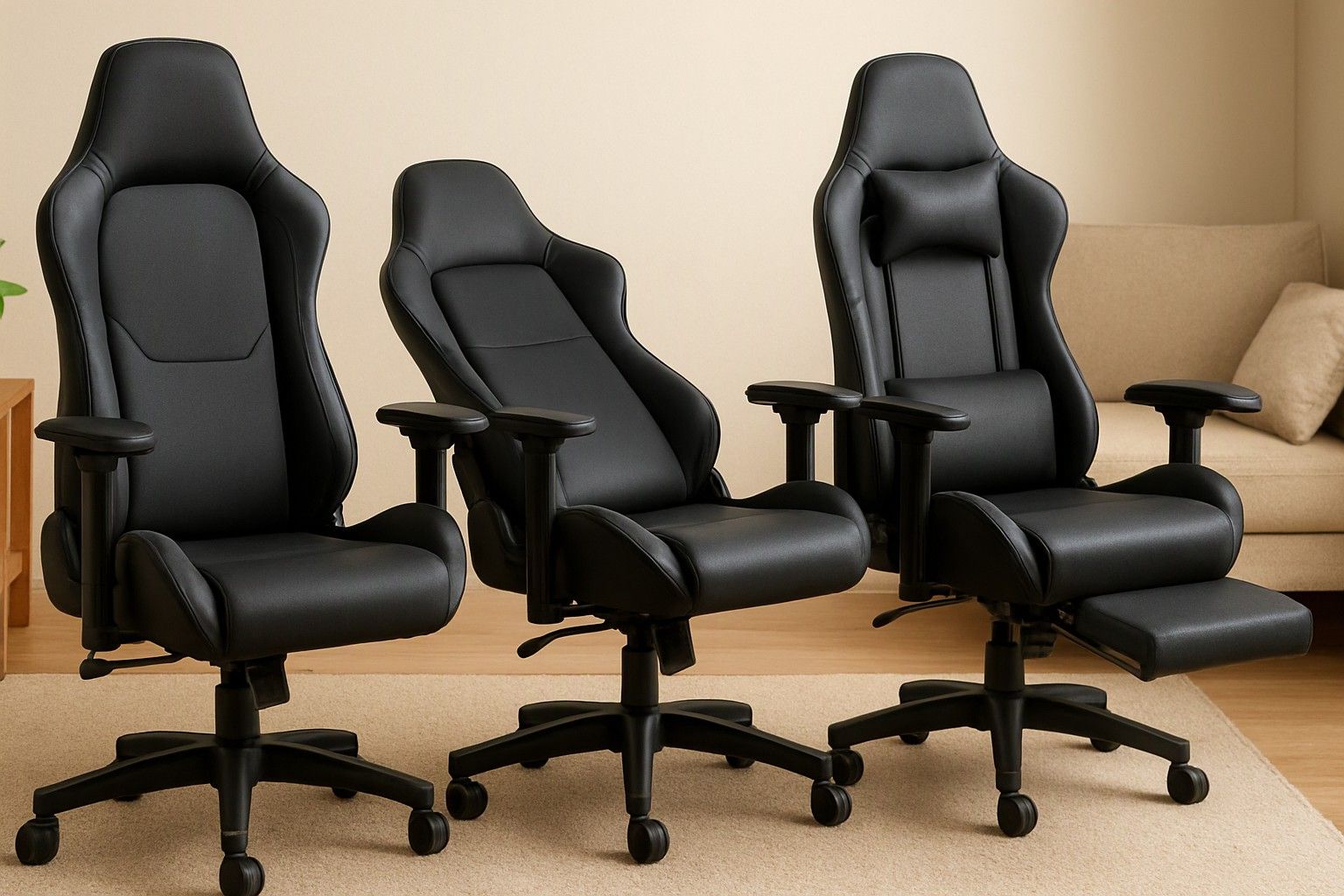
If you are wondering whether 4D armrests, 180-degree recline or a retractable footrest are worth paying for on a gaming chair, this article is for you. Most listings push feature counts, but only a few adjustments change how your back, shoulders and legs feel after hours at a desk. Below, each feature is sorted into what earns its cost and what mostly fills out a spec sheet.
Recline Angles: 135, 155 and 180 Degrees in Real Use
The three numbers describe how far the backrest can fall. Around 135 degrees is a relaxed upright posture, good for typing, gaming and video calls. Around 155 degrees is a lean-back position for watching a match, reading or taking a break. At 180 degrees the backrest is close to flat, which is only useful if you want to nap in the chair.
For daily desk use, most people sit between 100 and 135 degrees and only occasionally go further. A 180-degree claim therefore matters less than how the chair behaves between upright and 155. Check that the backrest holds its position without creeping, and that the base does not feel tippy when you lean back. The deeper the recline, the more the chair depends on a solid base and a firm lock.
There is also a practical space issue. In a compact room or a desk placed against a wall, a fully reclined chair has nowhere to go, so the extra range may never get used. Reclining also moves your back away from any lumbar support, so you lose some of the posture benefit you paid for.
If you work or game at a desk, 155 degrees is plenty. Pay for 180 only if you really expect to nap in the chair, and treat it as a convenience rather than a comfort upgrade.
Armrests From 1D to 4D Explained
Armrest labels count the directions they move. 1D moves up and down only. 2D adds forward and back sliding. 3D adds an inward and outward pivot. 4D adds sideways movement, so the pad can be shifted closer to or further from the body.
The adjustment that matters most is height. If the armrests sit too high they push your shoulders up, and if they sit too low they stop supporting your forearms. Fixed armrests are the worst case, because they may not even slide under the desk edge. A 1D armrest handles the height problem, and 2D adds a better match to your keyboard distance.
The 3D and 4D steps help in specific situations: several people share one chair, you switch between keyboard and mouse and a controller, or you have broad shoulders or a narrow desk. If one person uses the chair at one desk, you set the armrests once and rarely touch them again.
More adjustment axes mean more joints that can loosen over time. Before paying extra for 4D, try to confirm that the pads lock firmly with no wobble when you push on them. A rigid 2D or 3D armrest is better than a loose 4D one.
Lumbar and Neck Pillows vs Adjustable Lumbar Support
Most gaming chairs include a strap-on lumbar cushion and a neck pillow. They are cheap to include and easy to reposition, but they slide around, and the foam tends to flatten with regular use. A thick cushion can also feel warm against your back in summer.
Adjustable lumbar support is built into the backrest and moves up and down, and sometimes in and out, to match the curve of your lower spine. It stays where you set it, which suits people who sit for long stretches. It is less common on lower-priced chairs, and a poorly shaped one can be worse than a good pillow.
Neck pillows deserve some scepticism. They help mostly when you recline, because the head needs support at that angle. Upright, the pillow can push your head forward. Choose a chair where it can be removed or moved without any fuss.
A reasonable approach is to treat a pillow as a fitting aid. Place it at the small of your back, with its curve at belt height. If your back still complains after a couple of weeks, built-in adjustment is worth seeking out, and it helps to see where office chairs handle lower-back support differently before deciding.
Retractable Footrests: Comfort Add-On or Weak Point?
A retractable footrest is a small panel that slides out from under the seat so you can stretch your legs when you recline. It is useful in one situation: leaning back at 155 degrees or more to watch something or rest. Upright at your desk, with your feet on the floor, it does nothing.
The weak point is the build. The panel is usually thin and sits on a pivot or sliding mechanism that carries only a modest load. Resting your feet on it is fine, but pushing off it, or leaning your full leg weight on it, is how these mechanisms loosen or crack. It also adds a part that has to be folded away neatly, and it may rattle if the lock is loose.
If you often recline to rest or nap, a footrest makes that position far more comfortable, and it can be a real convenience. If you mostly sit upright, the money is better spent on armrests or lumbar adjustment. For a closer look at how extra moving parts affect long-term durability, the frame and base article covers what to inspect first.
A separate floor footstool does the same job without adding a failure point to the chair.
Tilt Lock and Rocking Mechanisms
Tilt is separate from recline. Recline moves the backrest on its own, while tilt lets the whole seat and back rock together as a unit. A rocking mechanism makes the chair sway when you lean, and a tilt lock stops it so the chair stays firm.
For gaming and typing, being able to lock the chair upright is the more valuable feature. A chair that keeps rocking while you lean into a game or reach for the mouse feels unstable and distracts you. Rocking is pleasant for short breaks and thinking, but that is about all it is for.
Look for a lock that engages positively, with a clear click or firm resistance rather than a soft stop. Simple chairs usually offer only two states, free rocking or locked upright. Better ones lock at several angles, and some include a tension knob so the resistance can match your body weight. A heavier person on a chair with weak spring tension will either sink straight into full tilt or fight a stiff mechanism.
Test the lock by leaning back against it. If it creaks, slips or lets the chair settle without warning, the rest of the mechanism is unlikely to hold up well either.
Features Usually Missing on Lower-Priced Chairs
Prices in this category run from ₹5,000 to ₹35,000, with an average of ₹8,000. What you get changes noticeably across the three budget tiers: ₹6,500, ₹8,500 and ₹20,000.
Chairs in the ₹6,500 range typically cover the basics: seat height, a recline lever and a lock. Armrests are often fixed or 1D, lumbar support is a pillow, and the rocking mechanism has just one locked position. The recline claim may look generous, but the backrest can feel less firm when leaned far back.
In the ₹8,500 range, you can expect to see 2D or 3D armrests and a firmer tilt lock. Retractable footrests and wider recline ranges start appearing here, and so does a tension control on some models. This is where most buyers get the adjustments that matter without paying for ones they will not use.
In the ₹20,000 range, the additions are the less common ones: 4D armrests, built-in lumbar adjustment, seat depth adjustment and multi-position tilt locks. These add up for people who sit for many hours or share the chair.
Whatever your budget, the list of missing features tells you what to compensate for. A pillow, a footstool and a desk-height check make up for a lot, and today's price is a sound basis for choosing the tier that matches how you actually sit.
Ranking Adjustability Against Your Other Priorities
Adjustability is worth paying for only after the chair is sound underneath. A sturdy frame, a reliable gas lift and a stable base come first, because no recline or armrest setting helps if the structure is flimsy. Seat padding and fit to your height and weight come next, since a chair that does not fit you is uncomfortable regardless of its settings.
Once those are covered, rank adjustments by how often you use them. Armrest height and lumbar fit affect every hour you sit. A dependable tilt lock follows, and recline up to about 155 degrees comes after that. Footrests, 4D armrests and 180-degree recline are conveniences for specific habits, such as napping, sharing the chair or switching between devices.
A useful test is to ask whether you would adjust the feature at least weekly. If you would, it is worth some of your budget. If not, you are paying for an extra line on the listing.
For the full picture of where adjustability ranks among the chair's other priorities, the buying guide weighs these against build, materials and price.
So, do you need 4D armrests, 180-degree recline or a footrest? Probably not all of them. A chair with solid height-adjustable armrests, a firm tilt lock, comfortable recline to about 155 degrees and a lumbar cushion that fits your back covers most real use, and the rest are conveniences you can add only if your habits call for them.
Comments
Be the first to comment.