Fingerprint vs PIN vs RFID vs App: Smart Lock Unlocking Methods Compared
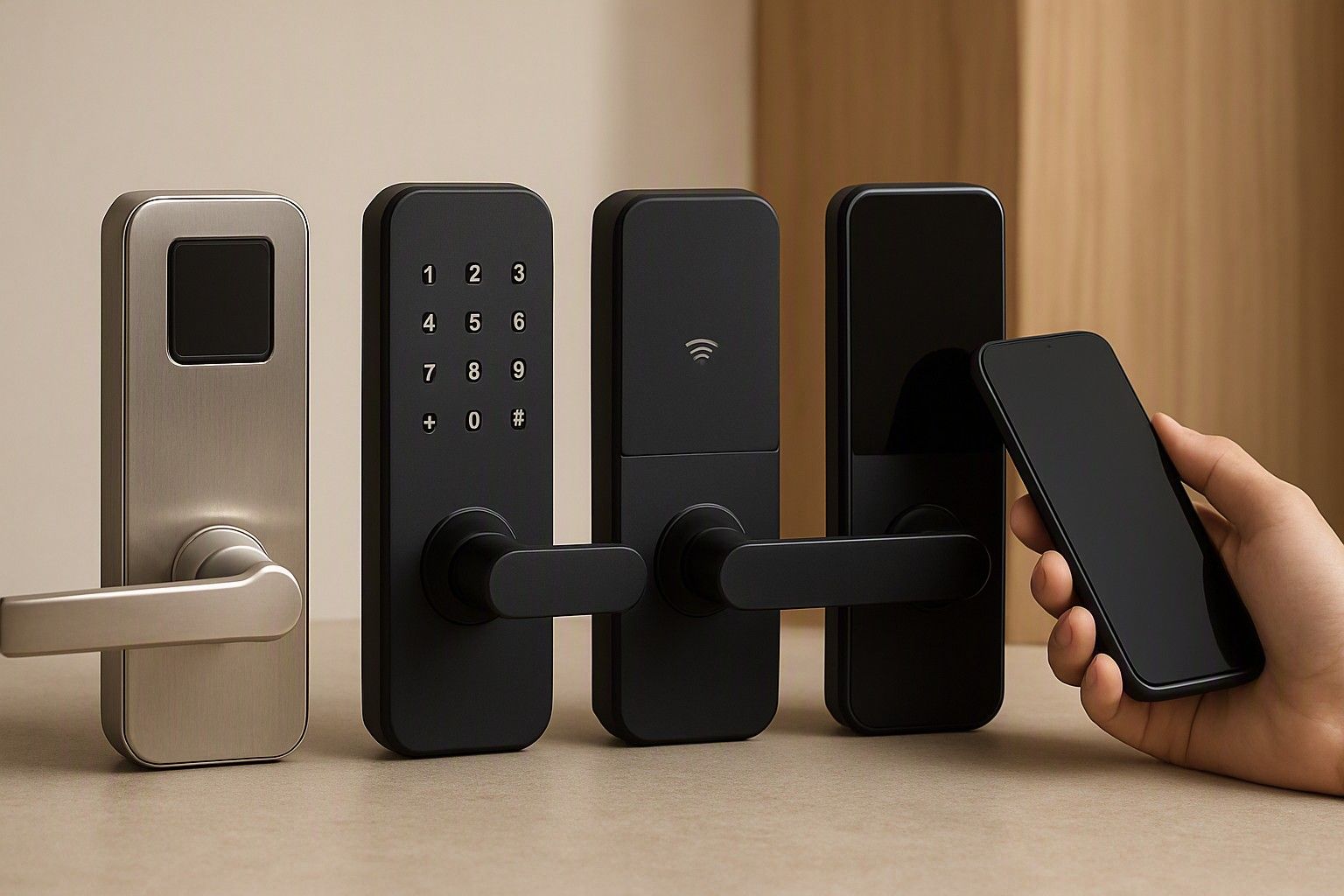
Every smart lock on the market boils down to how it lets you in, and that single choice matters more than the brand sticker on the box. Fingerprint, PIN, RFID and app unlock each behave differently in Indian conditions — heat, sweaty fingers, domestic help, power cuts — and picking the wrong combination is the most common regret buyers report. This article walks through what each method actually delivers day to day, so you can match it to how your household really lives rather than how a spec sheet reads.
Fingerprint Unlock: Reliability in Indian Heat and Humidity
Fingerprint unlock is the method most buyers ask about first, and for good reason — it's fast, doesn't need you to remember anything, and feels the most "smart" of the four. But Indian conditions test fingerprint sensors harder than they're tested in cooler, drier climates. Sweaty fingers in peak summer, monsoon humidity, and hands roughened by manual work or frequent washing can all cause misreads, especially on cheaper optical sensors that read a 2D image of the ridge pattern rather than actual skin depth. Capacitive sensors, which read the electrical signal from ridge and valley depth, tend to cope with moisture and grime noticeably better, though they sit higher up the price band and are more common in the ₹10,000 and ₹18,000 range than in locks under ₹4,000.
The practical fix most households use is registering multiple fingers per person, ideally from both hands, since a bandaged or unusually dry finger is a common real-world failure. Fingerprint also has a hygiene upside during flu season since nobody's touching a shared keypad, but it can genuinely struggle for elderly residents with faded ridge patterns or for construction workers and domestic staff with worn fingerprints, so it shouldn't be the only method a household relies on. Think of it as the fastest everyday option for people whose prints read consistently, backed by something else for the days it doesn't cooperate.
PIN Keypad: Convenience and the Smudge-Mark Security Risk
A PIN keypad is the most universal unlock method because it needs no biometric enrolment and no phone — anyone you tell the code to can get in, which is exactly its strength and its weakness. It's the natural choice for households with domestic help, elderly parents who don't want to deal with an app, or families with kids who need a way in after school without carrying a key. Keypads also age gracefully; there's no sensor to degrade the way a fingerprint reader can, and locks across the entire price range, from ₹2,500 upward, typically include one as a baseline method.
The well-documented downside is the smudge-mark risk: repeated presses on the same digits leave visible oil residue on a keypad's most-used numbers, letting anyone who studies it narrow down your code considerably. Locks with a scrambling keypad, where the digit layout rearranges on each use, close this gap and are worth prioritising if PIN will be your primary method rather than a backup. Even without scrambling, simple habits help — pressing a few unused digits before or after the real code, or choosing a PIN that reuses fewer duplicate numbers. For most Indian households, PIN works best as a secondary, always-available method sitting behind fingerprint or app, rather than the sole line of defence at the front door.
RFID Cards and Tags: Where They Make Sense
RFID unlock — a card, tag, or sticker you tap against the lock — solves a specific problem better than the other three methods: instant, code-free access for people you don't want typing in a PIN or enrolling a fingerprint. This makes it a strong fit for society gates, rental units where tenants change often, or households that want to hand a tag to a cook or driver without sharing a permanent code they'd have to remember to change later. Losing a tag is a lower-stress event than someone memorising your PIN, since a lost card can simply be deregistered from the lock without touching anyone else's access.
Where RFID falls short is as a sole method for a family's main door, since a card can be forgotten at home, left in another bag, or simply misplaced more easily than a fingerprint or a memorised code travels with you. It also adds a small ongoing task of keeping spare tags on hand, since replacing a lost one usually means buying a compatible blank card or fob rather than reprogramming an existing one. Most locks that include RFID position it as a convenience add-on alongside fingerprint or PIN rather than the only way in, and that's how it's best used — for the specific people and situations where a tap is simpler than a code, not as the household's everyday primary method.
App and Bluetooth Unlock: Remote Access and Dependence on Phones
App-based unlock, usually over Bluetooth or Wi-Fi, is the method that adds genuine features the other three can't: letting in a guest remotely while you're at work, checking who entered and when, and granting temporary access that expires on its own. For a joint family managing an elderly parent's day nurse, or a working couple who needs to let in a delivery or a relative without being home, this is the one method that solves problems a physical credential simply can't. It's also the method most tied to price — reliable app connectivity, cloud logging, and remote-access features are concentrated in locks from the ₹9,000 mark upward, and rarely show up in the cheapest ₹4,000 models.
The trade-off is dependence: a dead phone battery, a forgotten handset, or a patchy Wi-Fi connection at your specific door location can all leave you locked out of the one method that felt most convenient in the showroom. App unlock also assumes everyone in the house is comfortable with a smartphone, which doesn't hold for every generation in an Indian joint household. It works best as the method for remote and guest access rather than the everyday way family members enter and exit, which is exactly why almost no lock ships with app unlock as its only option.
Why Physical Key Override Still Matters
Every method above depends on power — battery power in the lock, mains or backup power for a connected hub, or charge in your phone — and Indian homes see enough voltage fluctuation and power cuts that this isn't a theoretical concern. A mechanical key override, tucked away behind a cover plate on most smart locks, is what gets you inside when the battery dies at an inconvenient hour or the electronics simply misbehave. This is exactly why a mechanical key backup is vital when power or battery fails is worth treating as a checklist item rather than an afterthought, regardless of which primary unlock method you prefer day to day.
Some buyers hesitate here, worried a physical key override reintroduces the vulnerability a smart lock was meant to remove. In practice, quality locks keep this keyway protected and low-profile, and the alternative — a lock with no override at all — means a flat battery turns into a locksmith call or a damaged door. Whatever unlock method you choose as primary, confirm the model includes this fallback before you commit, since it's less visible on a showroom shelf than fingerprint speed or app polish but matters far more the one time you actually need it.
How Many Unlock Methods Do You Actually Need
Most buyers overthink this by assuming more methods automatically means a better lock, when the honest answer is that two well-matched methods usually cover a household completely, and a third is there for the rare exception rather than daily use. A young couple living alone might do fine with fingerprint as primary and PIN as backup. A joint family with elderly parents, domestic help, and visiting relatives often needs three active methods running at once — fingerprint for residents, PIN for staff, and RFID or app for occasional access — because no single method fits every person walking through that door.
The right combination depends less on the lock's feature list and more on who actually lives in and moves through the house, which is why it helps to match the method to how your household lives before comparing specific models. A rented flat with rotating tenants has different needs from a joint family home with three generations under one roof, and locks priced anywhere from ₹2,500 to ₹28,000 can serve either well if the method mix is chosen correctly. Buying based on the longest list of unlock options rather than the right combination is a common way to overspend on features that go unused.
Quick Recommendation by Household Type
A single person or young couple is usually well served by fingerprint as the daily method with PIN as backup, and this combination is available comfortably within the ₹10,000 range without needing app connectivity at all. A nuclear family with young kids benefits from adding a scrambling PIN keypad for the children alongside fingerprint for adults, since kids can struggle with fingerprint consistency and shouldn't be handed a permanent RFID tag they might lose. A joint family with elderly parents and household staff does best with three methods active — fingerprint for residents, a separate PIN for staff that can be changed independently, and app access for remote guest entry — which typically means shopping in the ₹18,000 band where all three run reliably together.
Renters and landlords should lean toward RFID or PIN as primary, since these can be deregistered or changed the moment a tenant moves out, without the hassle of clearing old fingerprints off a lock you don't personally use. If any of this still feels unclear for your specific situation, it's worth stepping back to revisit the overall buying checklist, which covers how unlock method fits alongside the other decisions — power backup, installation, and door compatibility — that go into choosing a smart lock as a whole.
Fingerprint, PIN, RFID and app unlock each solve a different problem rather than competing to be the single best option, and the right smart lock for your home is simply the one that pairs two or three of these to match who actually walks through your door every day. Once you've mapped your household against that lens, the question this article opened with — fingerprint or PIN or RFID or app — stops being an either-or and becomes a straightforward combination you can shop for with confidence.

Comments
Be the first to comment.