Dead Batteries, Forgotten PINs and Monsoon Damp: Living With a Digital Safe
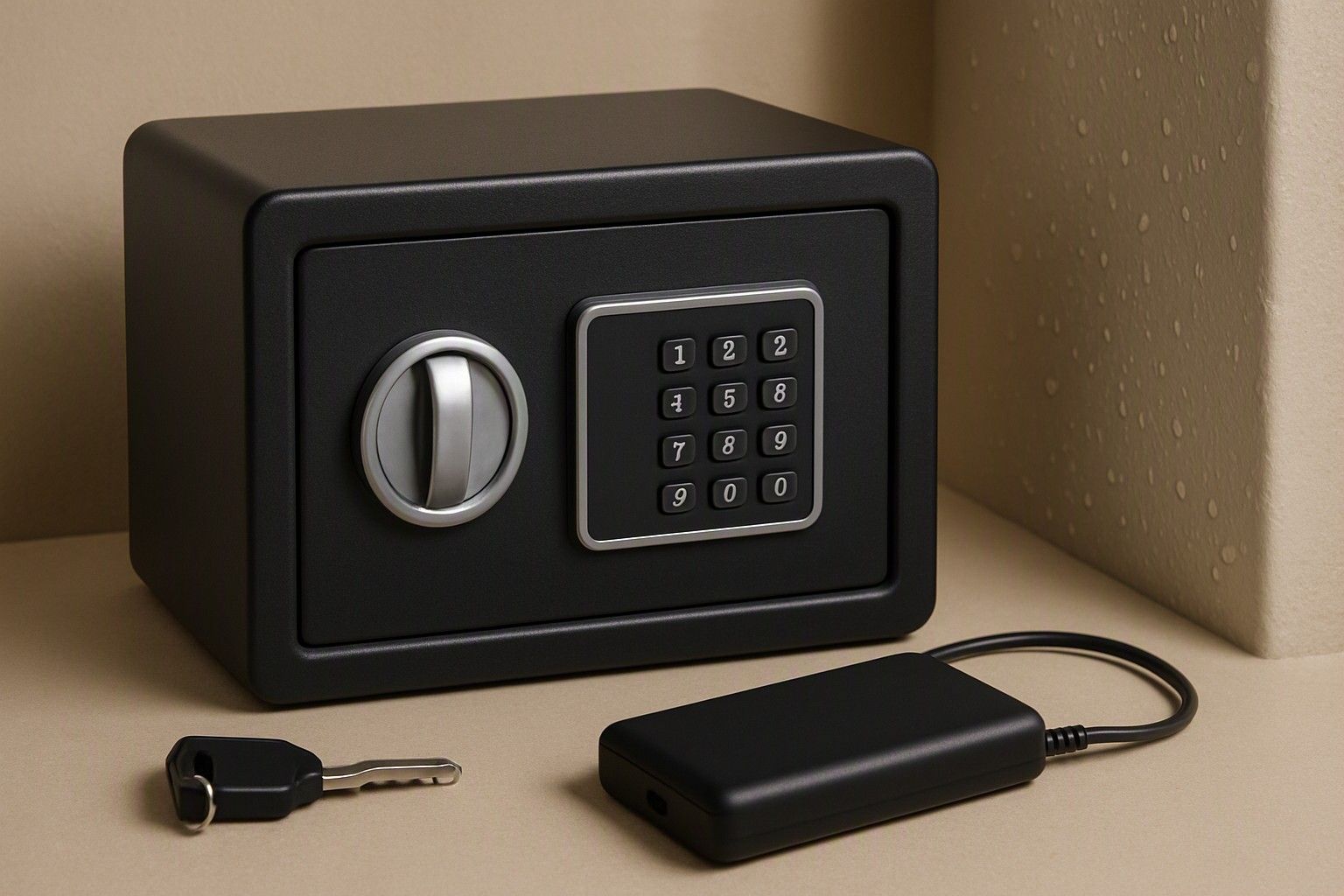
If your digital safe has stopped responding, or you can't remember the PIN, this article is for you. It covers what to do when the battery dies or the code slips your mind, and how to prevent both problems. It also covers monsoon damp, patchy service outside the big metros, and what upkeep costs over the years.
How Long Safe Batteries Last and What Low-Battery Warnings Mean
Most digital safes of popular brands also run on ordinary AA or AAA cells in a compartment, usually on the inside of the door so it can only be reached when the safe is open. Battery life varies with how often you open the safe, whether the keypad is backlit, and whether there is a fingerprint reader. Readers and backlights draw more power than a plain keypad. Expect anything from several months to a year or more, and treat the manual's claim as a best case rather than a promise.
The low-battery warning is your only advance notice. It usually shows up as a repeated beep when you enter the code, a blinking red LED, or a "low battery" message on the display. The exact pattern differs between models, so find it in the manual now rather than in a hurry later. Once the warning starts, change the cells at the next opportunity. Don't assume you have weeks left.
A few habits help:
- Replace all cells together, with fresh alkaline cells. Don't mix old and new, or different brands.
- Change batteries with the door open, and test the code before you close it.
- Pick a fixed date each year, such as Diwali, as a reminder.
- If the house will be shut for months, check the cells first. Leaking old cells corrode the contacts, and monsoon humidity makes that worse.
Locked Out: Emergency Key, External Battery Port and Brand Unlock Service
A dead keypad on a closed safe is not a disaster, because makers plan for it. Work through three routes in order.
1. The emergency key. Most digital safes ship with a mechanical override key, often hidden behind a small cover on the keypad panel. The key only helps if you can find it. Never keep it inside the safe. Keep it in a separate, secure place, such as with a trusted family member or in a bank locker, and make sure at least one other person knows where it is.
2. An external power port. Some designs have contacts on the keypad face where you can touch a fresh battery, often a 9V, to power the lock for one opening. This lets you open the door and swap the internal cells without any key. If you are still choosing a safe, our lock-type comparison explains which lock designs offer an external power port and which rely on a key alone.
3. The brand's unlock service. If you have no key and no port, or you've forgotten the code, call the manufacturer's customer care. Keep your invoice, serial number and a photo ID ready, as they will want proof you own the safe. Expect a technician visit, and be cautious about a local locksmith drilling the safe, since that can damage the body and void your warranty. Outside the metros, allow several days for the visit.
Resetting or Changing Your Master Code Safely
Change the factory-default code the day the safe arrives. Default codes are often printed in the manual, and the person who delivered or installed it may have seen it.
The usual method is a reset button or a programming switch inside the door or battery compartment. This is why you must change the code while the door is open, and why a forgotten code on a closed safe first needs the emergency key or the brand's service. Steps differ between models, and some separate an admin or master code from user codes. Follow your own manual rather than a generic video. Always test the new code several times with the door open before you shut it.
Choosing the code matters as much as the reset itself:
- Avoid 1234, birth years, anniversaries and the last digits of your phone number.
- Don't write it on a sticky note, a diary near the safe or an unlocked phone note.
- Share it with one trusted person who can open the safe in an emergency.
- Change it after a tenant leaves, a house helper's tenure ends, or the house has been in the hands of contractors.
On fingerprint models, re-enrol prints after any reset and keep the PIN as a fallback. Wet or rough fingers, common in the monsoon and after kitchen work, can fail to read.
Keeping Moisture Out in the Monsoon: Silica Gel and Placement
Humidity is the quiet enemy of a digital safe, especially in coastal and high-rainfall cities. Damp can corrode battery contacts and keypad circuits, and it spoils paper documents, leaves a musty smell and tarnishes jewellery stored inside.
Start with silica gel. Place a few packets inside the safe before the rains and check them every few weeks. Reusable gel can usually be dried in strong sun, but follow the pack's instructions. Replace it once it stops absorbing. Seal important papers in zip pouches, and never put away anything damp, including cloth-wrapped jewellery after a humid day.
Placement counts as much as silica gel. Safes fitted against exterior walls pick up seepage, so think about keeping a safe away from damp outer walls and leave a small air gap behind it where you can. Inside a wardrobe on an inner wall is generally drier than a wall that takes the rain.
A few small habits help:
- Wipe the keypad with a dry cloth only. Don't use water or sprays near it.
- On a dry day, leave the door open for a short while to let the air through.
- Check the battery compartment for white or green crust, a sign of leakage, whenever you change cells.
Warranty, Service Networks and Spare Keypads Outside the Metros
Service reach is where safes differ most once you live outside Delhi, Mumbai, Bengaluru or Chennai. A brand can have a good warranty on paper and still send a technician from the nearest big city, which can mean days of waiting with a locked safe.
Before buying, check the following:
- Service coverage: Does the brand list service centres or technicians for your city or pincode? Call the helpline once and see how quickly and clearly they answer.
- Warranty terms: Read what is excluded. Batteries, forced-entry damage and moisture damage are commonly left out, and these are exactly the problems this article covers.
- Spare parts: Ask whether the keypad or lock module can be replaced on its own, and whether spare keypads and emergency keys are stocked or have to be ordered.
- Proof of purchase: Keep the invoice, serial number and warranty card, and photograph them in case the paper is lost.
A keypad that can be swapped as a module is a real advantage in a smaller town, because a failed board need not mean a lost safe. If the brand has no presence near you, ask the seller who will handle servicing, and get the answer in writing. Online purchases in particular can leave you with a seller who passes you back to the manufacturer.
Upkeep Costs to Factor In Before You Buy
Digital safes in this category generally sit between ₹5,000 and ₹60,000, with an average around ₹12,000, and most buyers land in the ₹7,000, ₹15,000 or ₹35,000 bands. Upkeep is small next to that purchase price, but it is not zero, and knowing the items up front avoids surprises.
The recurring costs are modest: fresh alkaline batteries once or twice a year, and silica gel to replace or recharge before each monsoon. The occasional costs matter more. These include a technician visit after the warranty lapses, a spare emergency key and a replacement keypad if the electronics fail or corrode. Ask the seller or brand for current charges, because they differ and I would rather not guess them for you.
The bigger cost is access. A safe you cannot open for a week because no technician is nearby is a worse deal than a pricier one with a service point in your city. Your decision is easier when you factor upkeep and after-sales reach into which safe you choose, instead of judging only on the sticker price. Pick the safe whose support you can actually reach, then buy with confidence.
A dead battery or a forgotten PIN doesn't have to mean a stuck safe. Check the low-battery warning, keep the emergency key somewhere separate, use an external power port if your safe has one, and call the brand with your invoice ready if neither works. Change the default code, keep silica gel inside before the rains, and confirm service coverage in your city before you buy.
Comments
Be the first to comment.