Protecting a Console From Power Cuts, Heat and Dust in Indian Homes
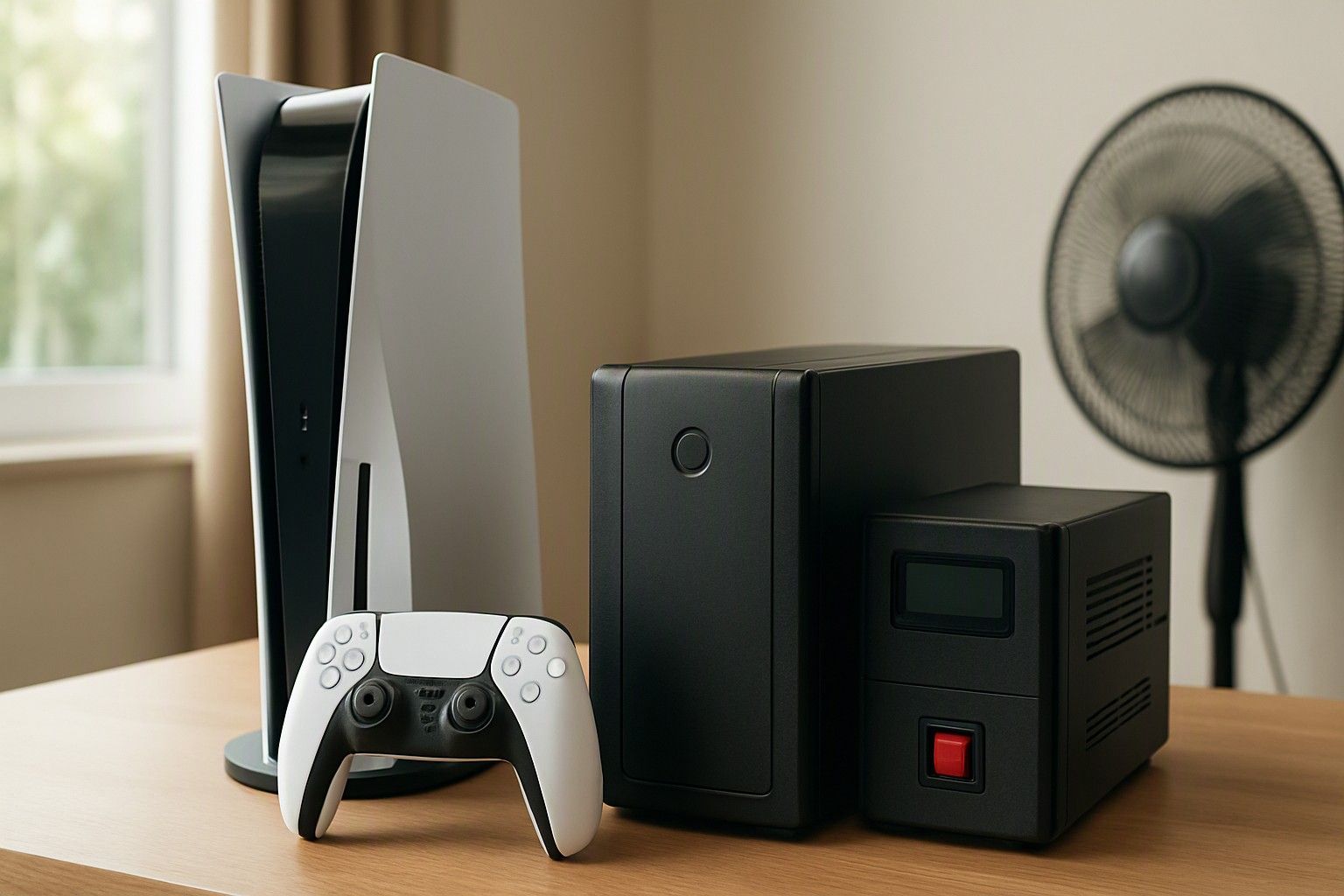
If your area has regular power cuts or voltage swings, a small UPS is worth having for a console. Summer heat and dust are a separate problem, and you manage them with placement and a simple cleaning habit, not by buying more gear. This article explains which protection fits which home, how to keep a PS5-class console cool through an Indian summer, and which symptoms mean it's time for a service check.
Why Sudden Power Cuts Risk Data and Hardware
The cut itself is only half the problem. A console is constantly writing to storage: saving progress, installing updates, patching games and keeping system files in order. If power disappears during any of those writes, you can end up with a corrupted save, a half-installed update, or a console that insists on a repair or database check at the next start. Most of the time it recovers, but you take that gamble every time the lights go out mid-session.
The hardware risk lies mostly in what the supply does around the cut. When mains returns, there can be a brief spike or a stretch of unstable voltage. In many Indian neighbourhoods, low voltage and fluctuation are common on hot evenings when cooling loads peak. Repeated sags and surges put stress on the console's internal power supply, which takes the brunt of it. The damage is cumulative, so a console can seem fine for months and then fail without warning.
Inverter-backed homes are not automatically safe. The changeover gap can be long enough to restart the console, and the return to mains can bring its own jolt. Cloud save backups are useful, but they protect your progress after the fact. They do nothing to stop a corrupted write or a stressed power supply. The goal is to give the console a clean, uninterrupted supply, or at least a few minutes to shut down properly.
UPS vs Stabilizer vs Surge Protector for Consoles
These three products solve different problems, and buyers often assume they are interchangeable.
Surge protector. This is the cheapest option. It absorbs voltage spikes and has no battery. It does not correct low or high voltage, and a power cut still switches the console off instantly. It suits homes where outages are rare and the main worry is a jolt when supply returns. A plain extension board with no protection circuitry is not a surge protector, however many sockets it has.
Stabilizer. It corrects sustained low or high voltage and works well for fluctuation. It has no battery, so a cut still shuts the console down without warning. Stabilizers sold for air conditioners or televisions are also not designed around a gaming console's sensitive electronics, so check what the unit is rated for. Many console power supplies already accept a wide input range, which you can confirm on the label, so a stabilizer often adds less than people expect.
UPS. This is the only one of the three that answers your outage question, because the battery gives you time to save and shut down properly. Among UPS types, a line-interactive model is the sensible middle ground: it regulates voltage and switches to battery quickly. A basic standby unit is cheaper but offers less voltage correction. A fully online unit is more protection than a console needs. Choose a UPS rated comfortably above the console's power draw, listed on its label or power supply. Expect minutes of backup, not hours, which is enough to exit cleanly. Keep the TV on a surge protector rather than the UPS so the battery lasts longer for the console.
If cuts are frequent or voltage swings badly, buy a UPS. If both are mild, a good surge protector is enough. Treat it as one line in your wider ownership budget, and budgeting a UPS alongside other add-on costs like games and subscriptions is easier when you decide before the purchase.
Ventilation and Placement During Hot Indian Summers
Where the console sits matters more than almost anything you can buy for it. A closed TV cabinet is the most common mistake. The console pulls in room air and pushes out hot air, and in a shut cabinet it keeps breathing its own exhaust. Put it on an open shelf or table with clear space on all sides, and keep the vents free of walls, curtains and books.
A few placement habits help in practice:
- Keep it off carpets, beds and recliner sofas, which block intake and shed fibre into the fan.
- Don't stack it on top of a set-top box, amplifier or router, because their heat adds to its own.
- Avoid spots that get direct afternoon sun through a window.
- Don't drape cloth over it, even while it's resting or downloading. Rest mode still generates heat.
Room temperature is the other factor. In a non-air-conditioned room during peak summer, the console works against a much warmer baseline than it was designed around. If you can, play in the cooler part of the day or in an air-conditioned room, and take breaks during long afternoon sessions. Do not point a table fan straight at the vents as a substitute for airflow. It also pulls in dust., air purifier is cities with high AQI is a welcoming option. Moving the console to open air is usually enough, and it costs nothing.
A Dust-Cleaning Routine for Fans and Vents
Dust is the quiet cause behind most overheating complaints. It clogs the intake, coats the heatsink and forces the fan to spin harder, which makes the console louder and hotter. In Indian homes, construction nearby, ground-floor flats, busy roads and open windows all raise the dust load.
A routine that works without opening the console:
- Every couple of weeks: wipe the outside with a dry microfibre cloth, paying attention to the vent slots. Do this with the console switched off and unplugged.
- Every two to three months: clean the vent openings with a soft brush, then use a hand-squeezed air blower to push loose dust out. Hold the blower back from the vent and use short bursts.
- In dusty homes or after renovation work nearby: shorten these intervals.
A few cautions apply. Don't press a vacuum nozzle against the vents, and don't blast compressed air at close range, because it can spin the fan far beyond its normal speed. Never use a damp cloth near the vents, which matters during monsoon humidity when dust turns into a sticky film. A breathable dust cover is fine once the console is off and has cooled, but remove it before use.
Opening the casing to clean the heatsink is a different job. It can void warranty and needs care, so leave it to an authorised service channel, especially while the console is still covered.
Warning Signs: Fan Noise, Shutdowns and Overheating
Consoles usually complain before they fail. Fan noise is the first sign: a fan that stays loud during light tasks like menus or video apps, or that ramps up much earlier in a session than before, means airflow is restricted. Other signs are hot air at the vent that feels noticeably worse than it used to, an on-screen temperature warning, freezing, visual glitches, and sudden shutdowns during gameplay.
Work through the simple causes first. Check the placement and clear any blocked vents. Clean the outside as described above. Try a cooler room and see if the behaviour changes. If you're using a stabilizer or surge protector, check that it is not the weak link: a failing power strip can cause shutdowns that look like console faults. A console that fails to start properly after power cuts, or keeps asking to repair its storage, points to power-related trouble rather than heat.
If the symptoms continue after cleaning and a cooler setup, stop pushing the console. Repeated overheating shortens its life, and repeated shutdowns risk save corruption. Before you open it or hand it to a local repair shop, it helps to understand why service access depends on how the unit was bought, because that decides whether official service, warranty support or a third-party repair is your realistic path.
Building Care Costs Into Your Purchase Plan
Consoles in this category span roughly ₹25,000 to ₹65,000, with an average around ₹40,000. The protection kit is small next to that. It looks the same across ₹28,000, ₹40,000 and ₹60,000 purchases, so decide on it when you set the budget instead of after the first power cut. The console is the expensive part, and protecting it is cheaper than a repair or a replacement.
Plan the spend in this order:
- Free first: an open, ventilated spot and the cleaning routine above.
- Low cost: a proper surge protector, a microfibre cloth, a soft brush and a hand air blower.
- If outages or voltage swings are frequent: a small line-interactive UPS rated above the console's power draw.
- Optional: any extended protection the seller offers. Read what it covers before paying for it, especially for dust, heat and power-related damage.
There is no reason to hold off buying until some later moment. Pricing in this category is steady enough that planning around the figures above is more useful than waiting, and the care items cost very little by comparison. For the wider picture, including how to set the overall budget, see the planning side of buying a console for Indian conditions.
So, do you need a UPS for your PS5-class console? If cuts are frequent or voltage is unstable, yes, a small line-interactive UPS is a sensible buy. If both are mild, a proper surge protector will do. Summer heat needs no purchase at all: give the gaming console open airflow, keep the vents dust-free, and treat loud fans or sudden shutdowns as a prompt to check, not something to ignore.
Comments
Be the first to comment.