Streaming Stick or a New Smart TV: Which Makes More Sense for Your Old Screen?
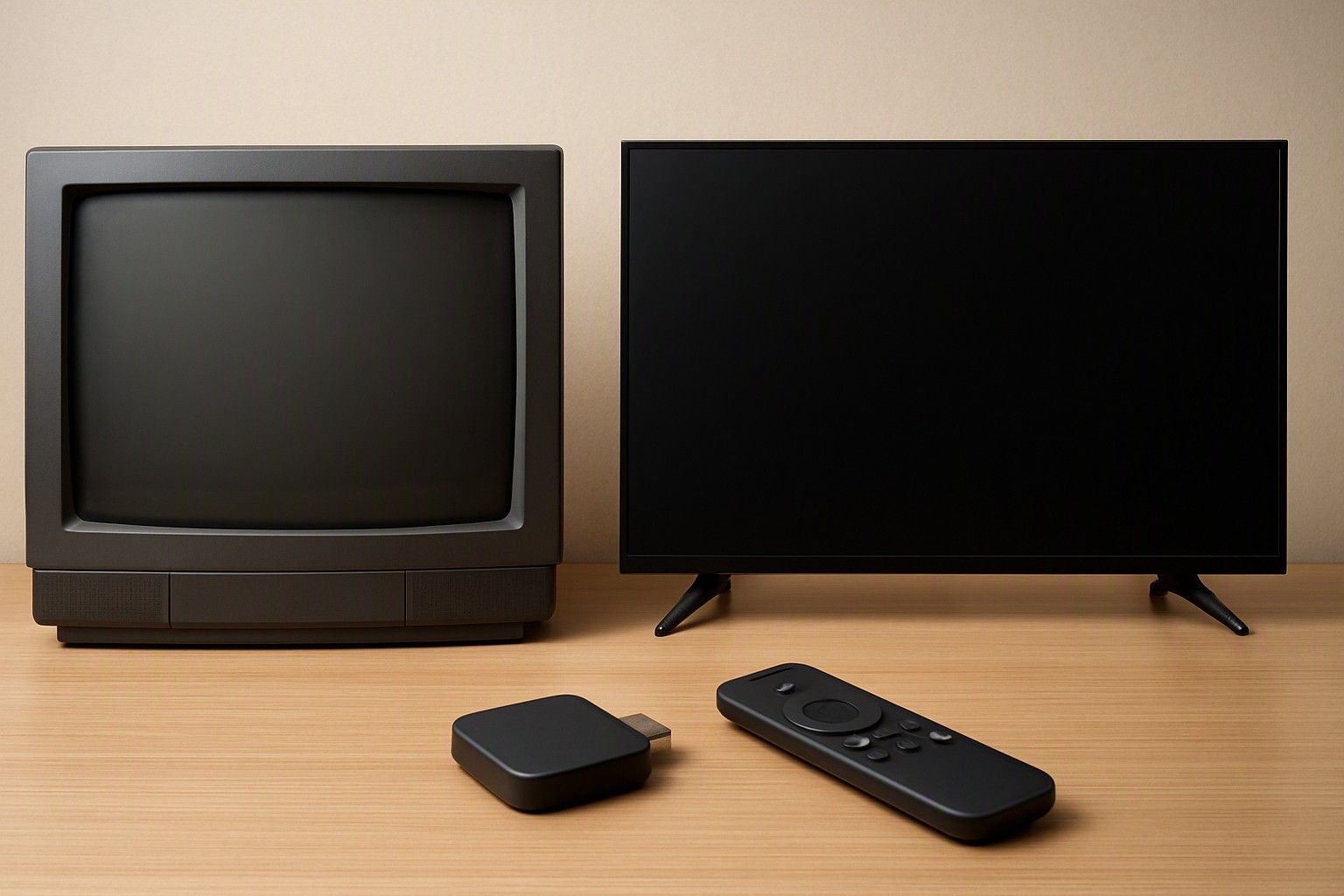
If your old TV still gives a sharp, bright picture but has no apps, or runs a slow early smart interface, a streaming stick is often enough to keep it useful. If the screen is small, dim or visibly ageing, a stick only postpones the real decision. Read on to see which side of that line your set falls on.
What a Streaming Stick Adds to an Older TV
A streaming stick is a small device that plugs into an HDMI port and gives any TV a modern app interface, Wi-Fi streaming, voice search and the ability to cast from your phone. For a non-smart TV, that is a complete transformation: OTT apps, YouTube and music services appear on a screen that could do none of it before.
The bigger win is on early smart TVs. Many of these sets still work well as displays, but their built-in software has become slow, and some apps are no longer updated or have disappeared from the app store. A stick bypasses the TV's own software entirely, so you get a faster interface and current apps without touching the panel.
The practical requirements are modest: a free HDMI port, a power source, and a stable home broadband connection. The cost is a small fraction of a new set, since smart TVs in this category start at ₹6,999. A stick can also move to another TV later, which a built-in smart system never can. If your TV's picture is still good, this is the lowest-risk first step.
Where a Stick Falls Short: Picture Quality, HDMI Ports and Remote Clutter
A stick changes what your TV can play, not how the screen looks. Even if the stick can output a higher resolution, an older HD-ready panel caps what any stick can show. Colours, contrast, brightness and viewing angles all stay exactly as the panel delivers them, so a washed-out screen remains washed out with a faster interface.
Ports are the second limit. Older TVs often have only one or two HDMI inputs. A stick takes one, and your set-top box, soundbar or gaming console may need the others. If you have to keep swapping cables, the setup quickly becomes annoying. Some older sets also lack an HDMI port that supports audio return to a soundbar.
Remote clutter is the third. You end up with the TV remote, the set-top box remote and the stick remote. Newer sets can let the stick's remote control power and volume over HDMI, but many older ones do not support this. Some older TV USB ports also cannot power a stick steadily, which means a wall adapter and one more cable behind the set.
Old TV Size and Panel Age as the Real Deciding Factor
Most buyers ask about the stick, but the better question is about the TV itself. Start with size: a screen that looked fine when you bought it can feel small once you are watching streaming films from a sofa several feet away, and it is worth checking whether your current screen is simply too small for the room before spending anything. A stick cannot make a screen bigger.
Then look at panel age. Play a dark scene and a bright scene on the old set in the evening and in daylight. Dim patches, a yellow or pink tint, uneven brightness, faint lines or flicker mean the panel is wearing out. Poor viewing angles matter too if the family sits spread across the room.
The rule is simple. If the size suits the room and the panel still looks healthy, a stick gives the set a few more useful years. If either fails, you would be spending on a device that plugs into a screen you are already unhappy with, and the stick will only make that more obvious.
Cost Comparison: Stick Today vs Upgrade Now
A stick is a small one-time spend, and you keep paying for the same streaming subscriptions you would need on any TV. The catch is that the money improves only the software side. You still own an old panel with a limited remaining life, and an old TV has little resale value to offset a later purchase.
A new smart TV in this category ranges from ₹6,999 to ₹3,00,000, with an average of ₹35,000. Most households will look at three tiers: the ₹12,000 tier for compact or basic sets, the ₹30,000 tier for the usual family living-room choice, and the ₹65,000 tier for larger screens and stronger picture features.
The entry tier is the number that matters here. A new set at that level comes with built-in apps, current software and a fresh panel, with no extra stick, adapter or remote. If your old TV has several years left, the stick is the cheaper path. If it has one or two years left, you may spend on the stick and then buy the new TV anyway. Compare against the remaining life of the screen, not just the sticker price today.
Signs It Is Time to Retire the Old Set
A few clear signs suggest the stick will not be enough:
- The picture is fading. Dim backlight, colour tints, flicker or lines across the screen are panel faults that no external device can correct.
- The room has outgrown the screen. If you squint at subtitles or the family sits well back from a small set, size is the problem.
- HDMI ports are failing or running out. Blank-screen dropouts, loose connections or too few ports for your devices all point to the TV, not the stick.
- Repairs cost too much. If fixing a panel or board approaches the price of a new entry-level set, repairing is hard to justify.
- Your content has moved on. If your broadband and viewing habits now suit sharper picture and better sound than the panel can show, the old set is the bottleneck.
One of these may be tolerable. Two or more is a clear signal to replace the TV instead of adding a stick to it.
If You Decide to Upgrade, Where to Begin
Once you have decided to replace the set, resist jumping straight to the shop shelf. Start with the room: measure the viewing distance and pick a size that fits it. Then decide the resolution you actually need, count the HDMI ports your devices require, and check which apps and software the TV supports and how long it is likely to be updated.
Budget is the last filter, not the first. Pick the tier that fits your needs from ₹12,000, ₹30,000 and ₹65,000, then compare sets within it. Also check the brand's service network in your city, because after-sales support matters for a product you will keep for years.
Our buying guide helps you map out a full smart TV upgrade from room size to service network, so you can make this decision in one sitting rather than piecemeal.
So, should you buy a streaming stick for your old TV or replace it? If the panel is healthy and the size suits your room, a stick is a sensible, low-cost way to add apps and speed. If the picture is fading, the screen is too small or the ports are failing, put that money towards a new smart TV instead.
Comments
Be the first to comment.